


Learn how to build a Demographic Scoring Model in Marketo that improves lead fit, sharpens handoffs, and helps sales focus on contacts most likely to convert.
A Demographic Scoring Model helps marketers separate broad interest from real account and buyer fit. In many teams, leads arrive in large numbers but only a small fraction deserve immediate sales attention. That gap creates wasted follow-up, slower pipeline movement, and frustration between marketing and sales. A well-built Demographic Scoring Model turns static profile data into a practical ranking system that reflects your ideal customer profile. When Marketo is set up properly, the result is cleaner routing, better segmentation, and more consistent handoff quality.
A Demographic Scoring Model should not be treated as a vanity metric. It is a decision tool. The best programs use it to answer a simple question: does this person match the people who usually buy from us? If the answer is yes, the lead deserves more attention. If the answer is no, the contact may still be valuable later, but it should not distract the pipeline today. This is where the Demographic Scoring Model supports focus and protects rep time.
The strongest teams align their Demographic Scoring Model with account strategy, conversion history, and the shape of their sales cycle. They do not assign points just because a field exists. They assign points because a field predicts revenue influence. That mindset keeps the model grounded in outcomes instead of guesswork. It also makes the score easier to explain when SDRs or sales leaders ask why a lead received a specific number.
What Marketo is actually doing behind the scenes
Marketo gives you the mechanics, but not the strategy. The platform can store fields, calculate scores, trigger smart campaigns, and sync values to CRM. What it cannot do on its own is define what matters to your business. That is why the Demographic Scoring Model must be designed before the automation. If the logic is unclear, the automation will only scale the confusion.
In practice, a Demographic Scoring Model uses attributes such as job title, seniority, function, company size, industry, geography, and sometimes technology stack or revenue band. Not every business uses every field. The point is to determine which traits correlate with stronger conversion, faster opportunities, or larger deal sizes. Once those traits are identified, Marketo can apply points consistently and transparently.
The most reliable Demographic Scoring Model is one that matches how your buyers are actually evaluated. For example, a company selling enterprise software may care more about department, employee count, and decision-maker status than about country or education level. A local services business may care more about region and company size. The model should reflect those realities, not a generic template copied from another team.
Start with the buyer profile, not the score
Before building any rules, define the ideal customer profile in plain language. What kinds of companies tend to buy? Who usually signs off? Who influences the decision? Which segments create the best retention and expansion? Those answers are the foundation of the Demographic Scoring Model. Without them, scoring becomes arbitrary.
A useful approach is to review closed-won deals, lost opportunities, and disqualified leads. Look for patterns. Are the best customers mostly in one industry? Do they have a certain employee count? Are they usually managers, directors, or executives? Do they come from one geography or multiple regions? These signals help you shape the Demographic Scoring Model around evidence instead of assumptions.
A good Demographic Scoring Model should reward fit more than noise. That means a lead can score well even before showing strong behavior if the profile is highly aligned. The opposite is also true: a highly active lead should not automatically become sales-ready if the profile is clearly outside target range. This balance is important because it prevents teams from overvaluing clicks while undervaluing fit.
The fields that usually matter most
Most teams start with a handful of fields that are stable, meaningful, and easy to maintain. Title, seniority, function, company size, industry, and geography are common choices. Geography and revenue band can also matter, depending on the business. A Demographic Scoring Model becomes stronger when these fields are chosen deliberately rather than added all at once.
Job title is often the first field teams think about, but title alone can be misleading. Some companies use unusual naming conventions, and some employees have broad titles that hide actual authority. That is why the Demographic Scoring Model should consider title together with seniority and department. A “Manager” in one organization may be a buyer, while in another it may be a junior coordinator.
Company size is another useful field because it often correlates with budget, complexity, and sales process length. The Demographic Scoring Model can assign higher values to company ranges that match your best customers. Industry works similarly, but only when your product has clear vertical relevance. If your target market is broad, be cautious about over-weighting industry just because it sounds strategic.
Geography matters when your product, compliance rules, language support, shipping, or sales coverage are region-specific. In that case, the Demographic Scoring Model should favor territories you can serve well. If geography is not strategic, do not give it too much influence. A weak signal can distort the entire model when given unnecessary weight.
How to score without creating chaos

A frequent mistake is assigning points to everything that sounds important. That creates inflated scores and makes the system hard to trust. The Demographic Scoring Model should be simple enough for sales to understand and specific enough to be useful. Clarity matters more than complexity.
Start with a point scale that creates distinction without exaggeration. For instance, a perfect-fit title might earn more points than a nearby title, but the difference should not be absurd. The Demographic Scoring Model works best when the score reflects relative priority, not mathematical perfection. Sales teams should be able to glance at the score and roughly understand why it is high or low.
Another useful rule is to avoid creating too many top-tier scores. If too many leads land in the same highest bracket, the model loses discrimination. The Demographic Scoring Model should create meaningful separation between ideal contacts, acceptable contacts, and poor-fit contacts. That separation helps routing, nurturing, and account prioritization.
A table can help teams think through the logic more clearly:
| Attribute | Example | Suggested Direction |
|---|---|---|
| Seniority | Director, VP, C-level | Higher points |
| Function | Operations, Marketing, IT | Depends on ICP |
| Company size | 200–1000 employees | Higher if aligned |
| Industry | Software, Finance, Healthcare | Higher if relevant |
| Geography | Target regions | Higher if served well |
This kind of structure makes the Demographic Scoring Model easier to document and review with sales leadership.
Setting up the model in Marketo
Once the strategy is defined, build the actual mechanics in Marketo. Most teams use a score field or custom fields to store values, then use smart campaigns to adjust them based on qualification rules. The Demographic Scoring Model should be built in a way that is easy to audit later.
A practical workflow is to create a dedicated score field for demographic fit. This keeps it separate from behavioral engagement. The Demographic Scoring Model should not mix website activity with profile quality unless you have a very specific reason. Separation makes it easier to explain whether a lead is a strong fit, an active prospect, or both.
After the field is created, use smart lists to identify values that match your rules. Then apply change score steps based on the mapped criteria. The Demographic Scoring Model should be tested with real records before launch. Check for weird title variations, missing data, duplicates, and bad sync behavior. Most score problems come from data quality, not logic quality.
Why data hygiene can make or break the system
A model is only as strong as the data feeding it. If title fields are inconsistent, if company size is missing, or if industries are entered in many different formats, your scoring will drift. The Demographic Scoring Model depends on reliable field values because Marketo cannot infer meaning from messy inputs.
That is why normalization matters. Standardize field options where possible, limit free-text variation, and review CRM sync rules. If your database contains dozens of title spellings for the same role, the Demographic Scoring Model will misread fit. Cleaning input data may feel unglamorous, but it often delivers more value than adding extra scoring logic.
Another issue is stale data. A contact’s title can change, a company can grow, and an old record can remain active long after its context has changed. The Demographic Scoring Model should be designed with a refresh strategy so changes in profile can adjust the score over time. Without that, your system becomes a snapshot rather than a living qualification tool.
Aligning the score with sales outcomes
Marketing often builds scoring for internal comfort, while sales cares about whether the score helps conversations. A strong scoring model is built around sales outcomes such as meeting acceptance, opportunity creation, and win rate. That connection gives the score credibility.
Meet with SDR managers and AEs before finalizing the rules. Ask which profiles convert best, which ones get ignored, and which ones consume time without return. Their feedback helps shape the Demographic Scoring Model so it reflects actual follow-up behavior. When reps trust the logic, they are more likely to use it.
You should also define what a score means operationally. For example, a lead above a certain threshold may enter a fast-response queue, while another range goes into nurture. The Demographic Scoring Model becomes far more useful when thresholds map to action. A score without action is just a number.
This is also where the model can support a High Converting Outreach Strategy. Once fit is clear, reps can tailor messaging to the segment rather than sending generic follow-up. A strong fit score gives sales a better starting point and improves the odds of meaningful conversation.
Turning scoring into workflow
A score becomes powerful when it shapes next steps. The Demographic Scoring Model can trigger routing, alerts, nurturing paths, and task creation. It can also help prioritize account lists for SDRs who work a large volume of contacts. The value is not the number alone; it is the decision it informs.
For example, a lead that matches your target profile might be routed to a fast response queue and assigned to a rep within minutes. A lower-fit lead may stay in a nurture stream until more evidence appears. The Demographic Scoring Model helps teams avoid giving the same treatment to every contact regardless of quality.
This workflow should be documented in a Practical Outreach Workflow Process so everyone knows how leads move from capture to action. That process prevents confusion between marketing automation and human follow-up. When the score is tied to a real workflow, it feels less abstract and more operational.
Common mistakes to avoid
One common mistake is overfitting the model to a small sample of deals. The Demographic Scoring Model should use enough historical evidence to avoid random patterns. Another mistake is giving too much value to vanity traits, such as a prestigious title that does not actually correlate with buying authority.
Teams also fail when they never revisit the model. Markets change, products evolve, and ICPs shift. The Demographic Scoring Model should be reviewed regularly so it stays aligned with current demand. A model that once worked well can become misleading if the business grows into new segments.
Another pitfall is mixing too many responsibilities into one score. If the same field is trying to reflect fit, engagement, and product interest, it becomes hard to interpret. The Demographic Scoring Model should do one job well: identify who is a strong profile match. Other scoring layers can handle behavior and timing.
It is also risky to ignore negative scoring. A title that is clearly outside the buying committee, or a company size that is far below your minimum, may deserve zero or reduced points. That keeps the Demographic Scoring Model honest and protects against false positives.
Measuring whether the model works

A Demographic Scoring Model should be judged by its impact, not by its elegance. Track conversion rates from score bands to meetings, opportunities, and closed revenue. If high-score leads consistently outperform lower-score leads, the model is working. If not, the logic may need refinement.
You can also compare rep feedback before and after launch. Do SDRs say the right contacts are coming through faster? Do AEs feel the leads are better qualified? Does marketing see fewer complaints about poor handoffs? These are practical signs that the Demographic Scoring Model is helping.
A useful way to test the model is to look at false positives and false negatives. False positives are low-quality leads that score too high. False negatives are strong leads that score too low. Reducing both improves precision and trust. The Demographic Scoring Model should get sharper over time as you learn from real conversion data.
A simple framework for scoring review
One easy review cycle is monthly or quarterly. In each review, compare top scoring contacts with actual pipeline creation. Look for mismatches. Were some industries overvalued? Were some titles underweighted? Did certain company sizes outperform expectations? The Demographic Scoring Model should be treated as a living system.
You can use a score calibration session with marketing ops, SDR leadership, and sales management. That session should answer three questions: What patterns are showing up? What is missing? What should change? This collaborative process keeps the Demographic Scoring Model practical and accountable.
A broken lead scoring model often fails because no one owns the review process. The model launches, then becomes frozen. If you notice sales distrust, routing errors, or inconsistent lead quality, treat that as a sign the score logic needs attention. The Demographic Scoring Model should evolve with your market and your database.
How to document the logic clearly
Documentation is essential. Write down what each score rule means, why it exists, and what data field it depends on. The Demographic Scoring Model is much easier to maintain when future teammates can understand it quickly.
Your documentation should include field definitions, score values, exclusions, and review dates. It should also mention any assumptions, such as which geographies are prioritized or which seniority levels matter most. A well-documented Demographic Scoring Model reduces dependency on one person and makes troubleshooting faster.
This is especially important when the scoring rules interact with CRM fields or routing rules. If someone changes a field mapping without understanding the score logic, the model can break quietly. Clear documentation makes the model more resilient.
Training the team to trust the score
A scoring system only works if people trust it. That trust grows when the Demographic Scoring Model is explained in plain language and backed by examples. Show sales how the score was built, what it measures, and what it does not measure.
Train SDRs to use the score as a guide, not a replacement for judgment. The model should support prioritization, not eliminate human thinking. A rep may still choose to work a lower-score lead if the timing or account context is exceptional. The score is there to improve decision-making, not control it.
This mindset also helps prevent frustration when a strong-looking lead does not score well. If the team understands the logic, they can spot missing fields, incorrect records, or unusual cases more quickly. The Demographic Scoring Model becomes part of the sales culture rather than just a marketing ops artifact.
Special considerations for account-based programs
If your team runs account-based marketing or account-based Sales Ready Leads for SDR Teams motions, the Demographic Scoring Model should align with account fit signals at the company level. That may mean prioritizing certain account types, strategic industries, or buying centers more heavily. In these cases, the person-level score is only part of the picture.
You can also pair the model with account tiering so leads from key accounts are treated differently. This helps avoid situations where a medium-fit person at a strategic account gets lost behind a high-fit person at a weak account. The model should support your account strategy, not compete with it.
For multi-threaded deals, the Demographic Scoring Model can help identify which contacts inside the same account deserve attention first. That allows sales to work the right people in the right order and improves coverage across the buying committee.
Using score bands instead of one big number
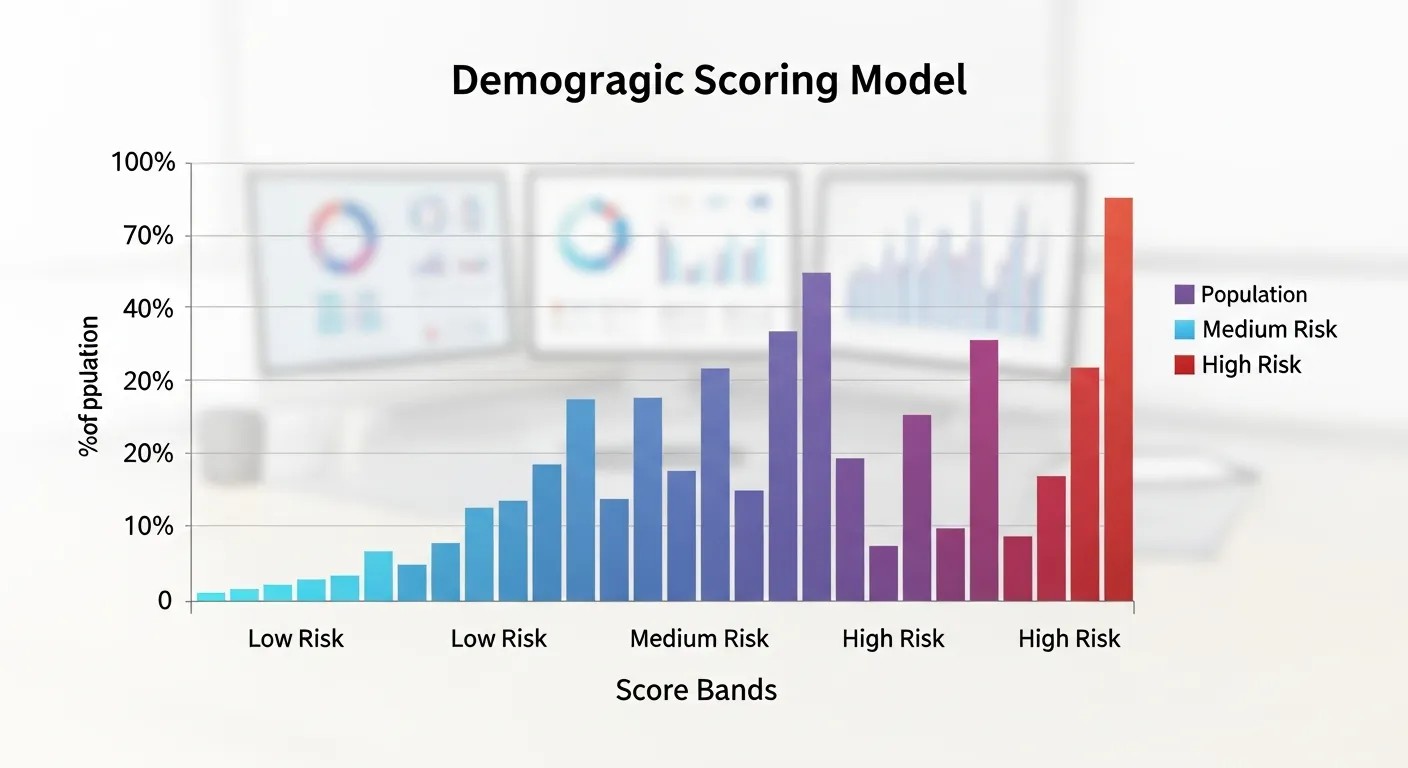
Many teams find score bands easier to work with than a single exact number. For example, 0–20 might mean low fit, 21–50 medium fit, and 51+ high fit. The Demographic Scoring Model still uses the same logic, but the output becomes easier for humans to interpret.
Bands are useful because they simplify workflow decisions. A high band can trigger routing, a medium band can trigger nurture, and a low band can remain untouched or receive light engagement. The model becomes operationally cleaner when teams know what each range means.
This approach also helps when sales leaders ask for a quick explanation. Instead of defending a specific number, you can explain the contact sits in a high-fit band because of title, company size, and geography. The Demographic Scoring Model feels more transparent that way.
Connecting fit to timing
Fit alone does not guarantee urgency, but it does determine priority. A lead may be a perfect profile match and still not be ready. That is why the Demographic Scoring Model should be complemented by behavioral signals elsewhere in your process. The fit layer says who matters most; the behavior layer says who matters now.
When those layers work together, teams get a much better picture of opportunity. A strong-fit contact who recently engaged should move quickly. A strong-fit contact with no activity may go into nurture. A low-fit contact with high activity may deserve light attention but not immediate focus. The Demographic Scoring Model gives structure to that logic.
This distinction is useful for Travel Psychology And Risk Management in a broad metaphorical sense as well: people often overreact to the most visible signal and ignore the underlying risk. In lead management, the visible signal is activity; the underlying risk is bad fit. The scoring framework helps keep decisions balanced.
Final implementation checklist
Before launch, confirm that your fields are clean, your point values make sense, and your thresholds are mapped to actual actions. The Demographic Scoring Model should have one owner, one review cadence, and one clear purpose.
Also confirm that sales knows how to interpret the score, that routing rules are tested, and that reports show the right performance metrics. If all of that is true, the Demographic Scoring Model can become one of the most useful systems in your funnel.
A strong launch does not require perfection. It requires consistency, visibility, and a willingness to improve. The Demographic Scoring Model will get better as you learn from real conversion data and refine the rules.
Conclusion
A successful scoring system is not about filling a database with points. It is about helping teams recognize the contacts most likely to become opportunities. The Demographic Scoring Model gives Marketo users a practical way to transform raw profile information into clearer prioritization, better routing, and stronger sales handoffs. When the logic is based on real customer patterns, supported by clean data, and reviewed often, it becomes a reliable decision layer rather than a technical checklist. Treat the Demographic Scoring Model as a living framework, keep it aligned with sales outcomes, and it will continue to improve lead quality, rep confidence, and pipeline focus over time.
Frequently Asked Questions (FAQ)
1. What is a Demographic Scoring Model in Marketo?
A Demographic Scoring Model is a rules-based system that assigns points to lead attributes such as title, company size, industry, or geography so teams can prioritize better-fit contacts.
2. How is a Demographic Scoring Model different from behavioral scoring?
A Demographic Scoring Model measures profile fit, while behavioral scoring measures actions like email clicks, visits, or form submissions.
3. Which fields should I use first?
Start with title, seniority, function, company size, industry, and geography if they are relevant to your ideal customer profile.
4. How many points should each field receive?
Use enough separation to reflect real differences, but avoid extreme weighting. The score should stay simple enough for sales to understand.
5. How often should I review the model?
Review it monthly or quarterly, especially after pipeline changes, new product launches, or shifts in target markets.
6. What causes a scoring model to fail?
Common causes include messy data, overcomplicated rules, weak alignment with sales, and no review process.
7. Should I include negative scoring?
Yes, when a field clearly signals poor fit. Negative or zero-weight rules help reduce false positives.
8. Can this model support account-based marketing?
Yes. It works especially well when combined with account tiering and strategic account lists.
9. How do I know if it is working?
Check whether high-score leads convert better into meetings, opportunities, and closed revenue than lower-score leads.
10. What is the biggest mistake to avoid?
The biggest mistake is building the model around assumptions instead of real customer data and sales feedback.